tartelette / rp2040 emulator / demos docssource on github ↗
The tartelette logo: an RP2040 chip package with a tart engraved on it

Tartelette

Test your RP2040 projects on an emulator with simulated hardware

tartelette emulates a Raspberry Pi RP2040 together with whatever is soldered to it. You hand it a firmware and a short TOML file describing the PCB, and it wires the firmware up to emulated displays, knobs, LEDs, DACs, port expanders and SD cards.

The demos below are normal firmware images, built for real hardware. Nothing was changed to make them run here. Click the panel's buttons and knobs, or use the keys listed with each one. Or start with an empty emulator.

To try your own firmware, read about board files and the parts you can put on them.

Demos

01
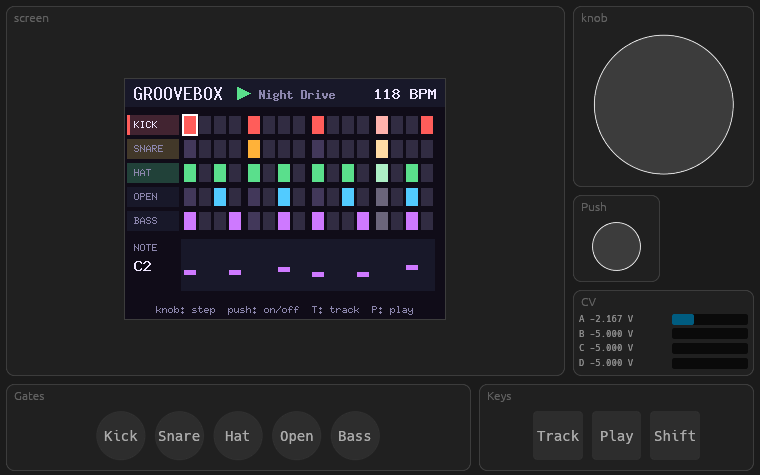
The Groovebox demo: a step sequencer grid on the emulated screen, with knob, keys and gate lights

Groovebox

Drum machine and bass line, 16 steps. The gates and the pitch CV come out of the board as voltages, and tartelette's test synth turns them back into sound: kick, snare and hats from the expander, a saw wave tracking the DAC. Switch Sound on in the Synth tab.

Board
custom: ST7789, MCP23008, DAC8165, encoder
Uses
I2C · SPI+DMA · PIO encoder · bit‑banged DAC · 2 async tasks
Keys
← → move, Space step on/off, T track, P play, S+knob tempo
02
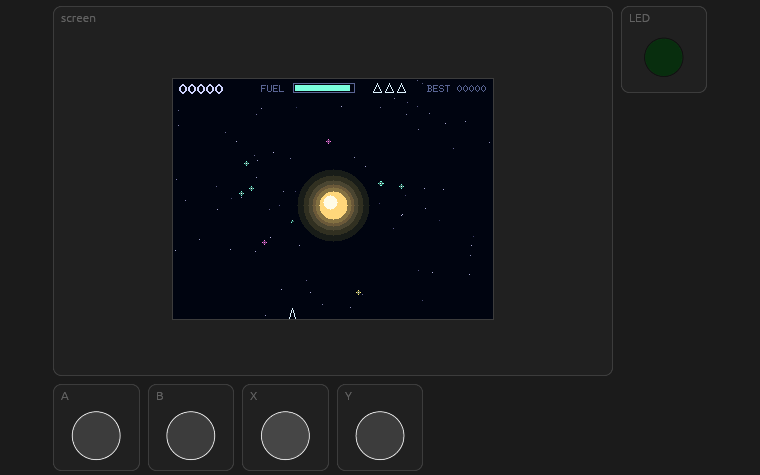
The Stardust game: a ship orbiting a glowing star among motes of dust and comets

Stardust

You're in orbit around a star. Collect the dust for points and fuel, and either avoid the comets or blast them apart with a pulse. It redraws at 25 fps and only pushes the parts of the screen that changed over SPI.

Board
pico + pico-display-2 shield
Uses
SPI+DMA · strip rendering · soft-float physics
Keys
A B turn, X thrust, Y pulse / start
03
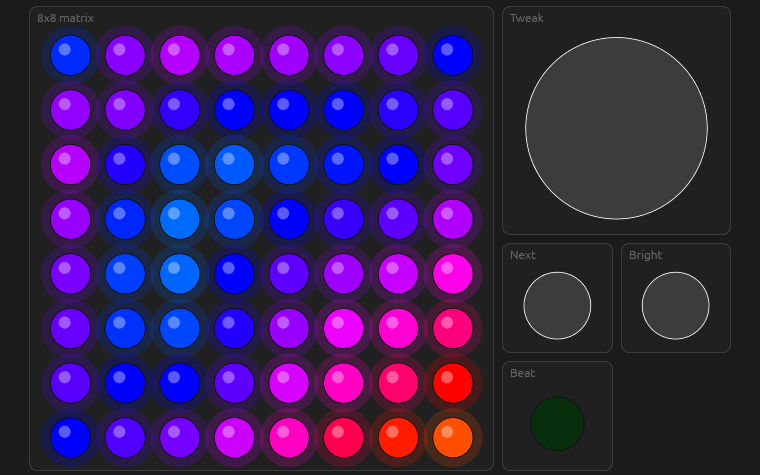
The Lumen demo: an 8 by 8 grid of coloured LEDs beside a knob and two buttons

Lumen

Light patterns on an 8×8 WS2812 matrix: plasma, fire, rain, Game of Life, ripples, fireflies. The emulator reads the LED colours out of the PIO's pulse timings, the same way the real LEDs do.

Board
custom: 64 × WS2812, encoder, buttons
Uses
PIO WS2812 · PIO encoder · DMA · UART
Keys
Space next scene, ← → adjust, B brightness
04
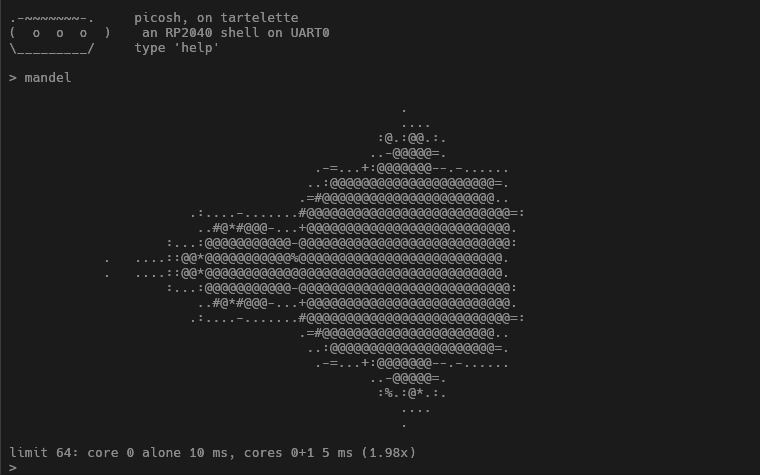
The picosh demo: an ASCII Mandelbrot set in the UART console

picosh

A little shell on UART0. It can draw the Mandelbrot set on one core and then on two (compare the times), dump the bootrom, find primes and blink the LED.

Board
pico
Uses
UART · both cores · interrupts
Try
in the UART0 tab, help mandel peek 0 blink 3
05
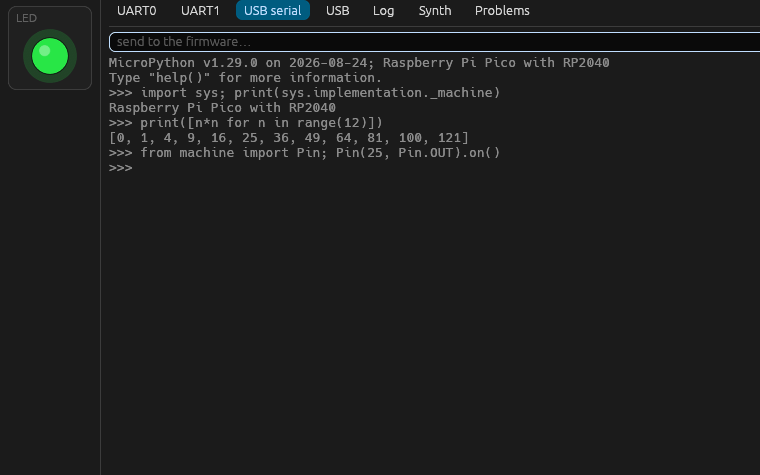
MicroPython's REPL in the USB serial console

MicroPython

The stock RPI_PICO build of MicroPython v1.29.0, downloaded from micropython.org as is. The REPL lives on the emulated USB serial port; open that tab and type:

from machine import Pin
Pin(25, Pin.OUT).on()
Board
pico
Uses
USB device · UF2 · flash filesystem

Running locally

The native build can do a few things a browser can't: put the Pico W on your real network, talk to Bluetooth, expose the USB serial port as a tty, and show up as a MIDI device. How to run it.

In the browser you need WebAssembly tail calls: Chrome/Edge 112+, Firefox 121+ or Safari 18.2+. The tabs under the panel hold the UARTs, USB serial, the firmware log and the synth.

cargo install --locked --path crates/app/tartelette
cd firmware/showcase
cargo run --release --bin groovebox    # stardust, lumen, picosh
cargo run --release --bin stardust -- \
    --headless --log --max-cycles 1000000000